
Customer support
Keep your best customer support replies ready
You have answered this question before. Save the useful parts as a reply template, insert it when you need it, then add the customer’s details before sending.
 iPhone · iPad · Vision Pro
Apple Silicon · Intel
Write the useful details once
A saved reply gives you a more complete starting point. This is an example template: replace the placeholders and check the facts before sending.
A brief starting point
Your refund request has been received. We’ll send an update soon.
Example saved reply
Your refund request for order [order number] has been received. We’ll check its status and send an update by [date]. If you have more details to add, reply to this message and include your order number.
A few replies cover a lot of questions
Example questions and the saved replies you could use for them. Choose a starting point, check the order details, then edit the reply for that customer.
Support replies
- Refund request for an order
- ⌘1Refund request received
- Where is my parcel?
- ⌘2Delivery update
- Help signing in
- ⌘3Sign-in steps
- Sign-in steps did not work
- ⌘4Further help
Menu bar
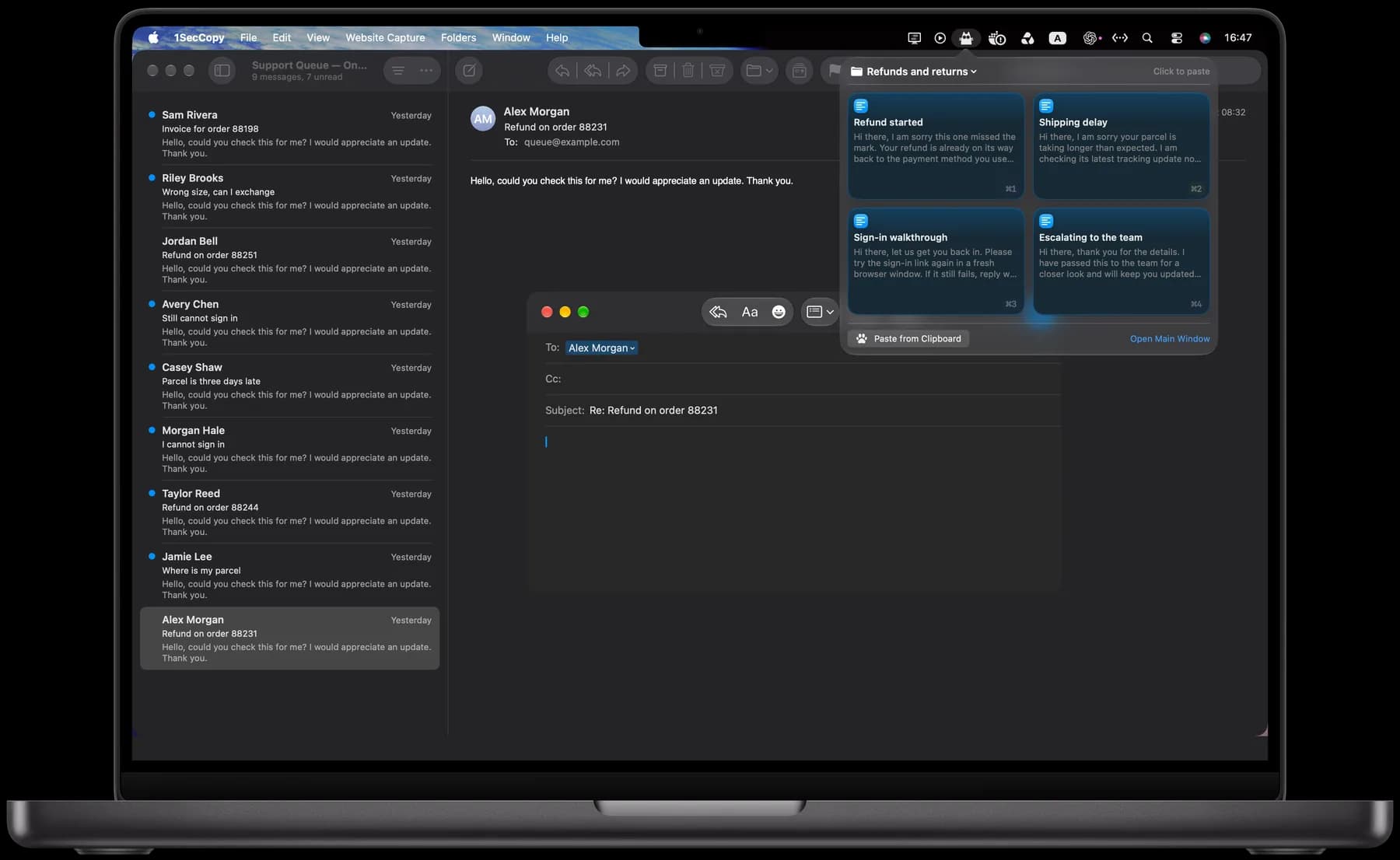
Open your replies beside the message
On Mac, open the menu bar panel, copy a reply and paste it into your message. With the panel open, ⌘1–⌘9 selects the first nine cards. You can enable automatic pasting with Accessibility access. Check the draft and personalize it before sending.
Library
Organize replies by topic
Keep returns, delivery updates and account help in separate folders. Give each reply a clear name so you can find it quickly. Search across your cards when you cannot remember which folder you used.
Sync
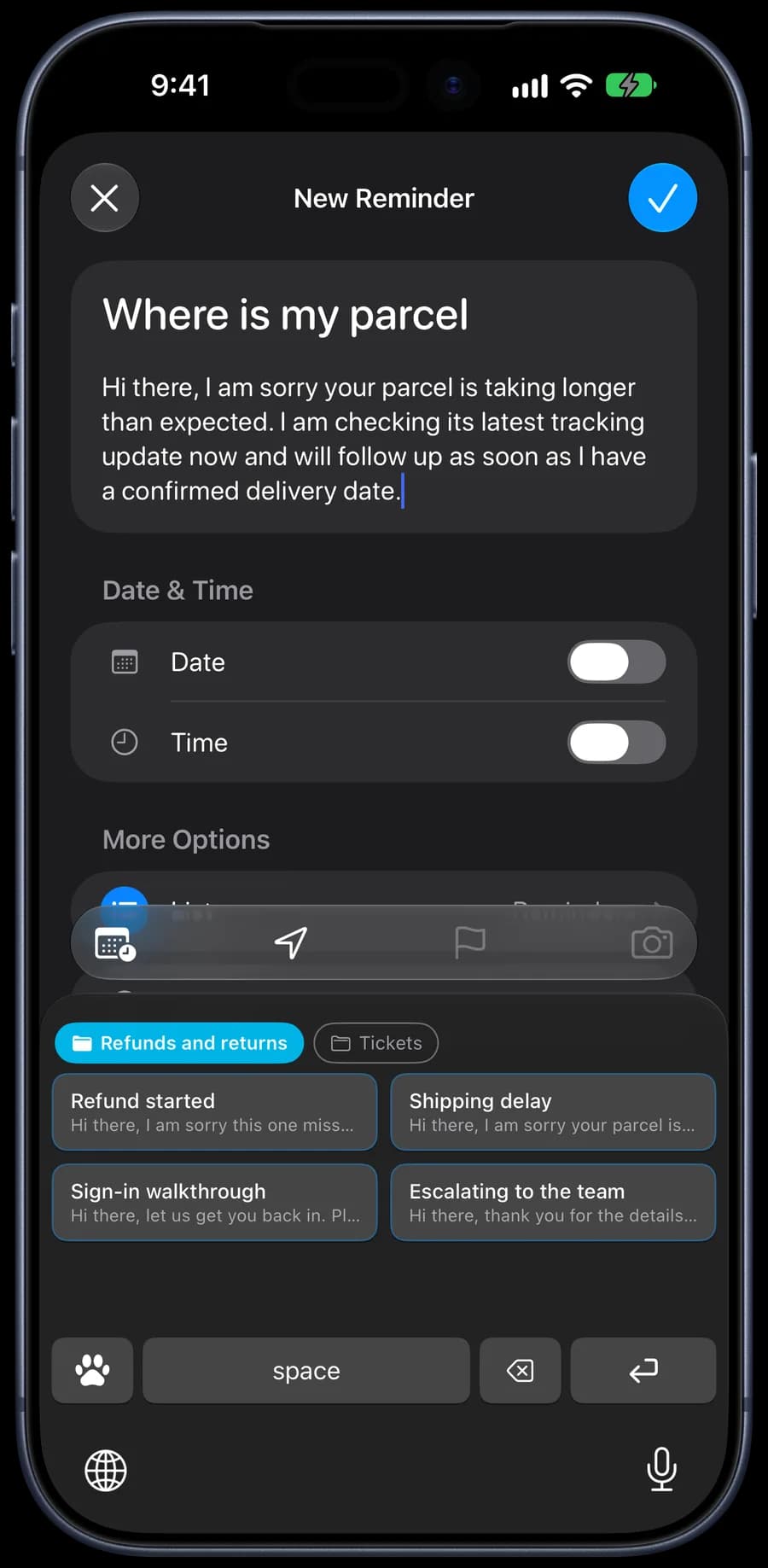
Use your replies at your desk or on your phone
Premium cloud sync keeps your cards available across your devices. On iPhone and iPad, the 1SecCopy keyboard inserts saved text in supported text fields, so you can reuse a reply while writing on your phone.

Start with the things you use every day
Download 1SecCopy and save a few replies, prompts, images or snippets. Put them in a folder and try using one in your next task.
iPhone · iPad · Vision ProApple Silicon · Intel