
QA and testing
Keep your QA test data ready for another run
Long names, leading zeros and unusual Unicode are easier to test when you do not have to rebuild the input each time. Save your test values as cards and reuse them in the form and the bug report.
 iPhone · iPad · Vision Pro
Apple Silicon · Intel
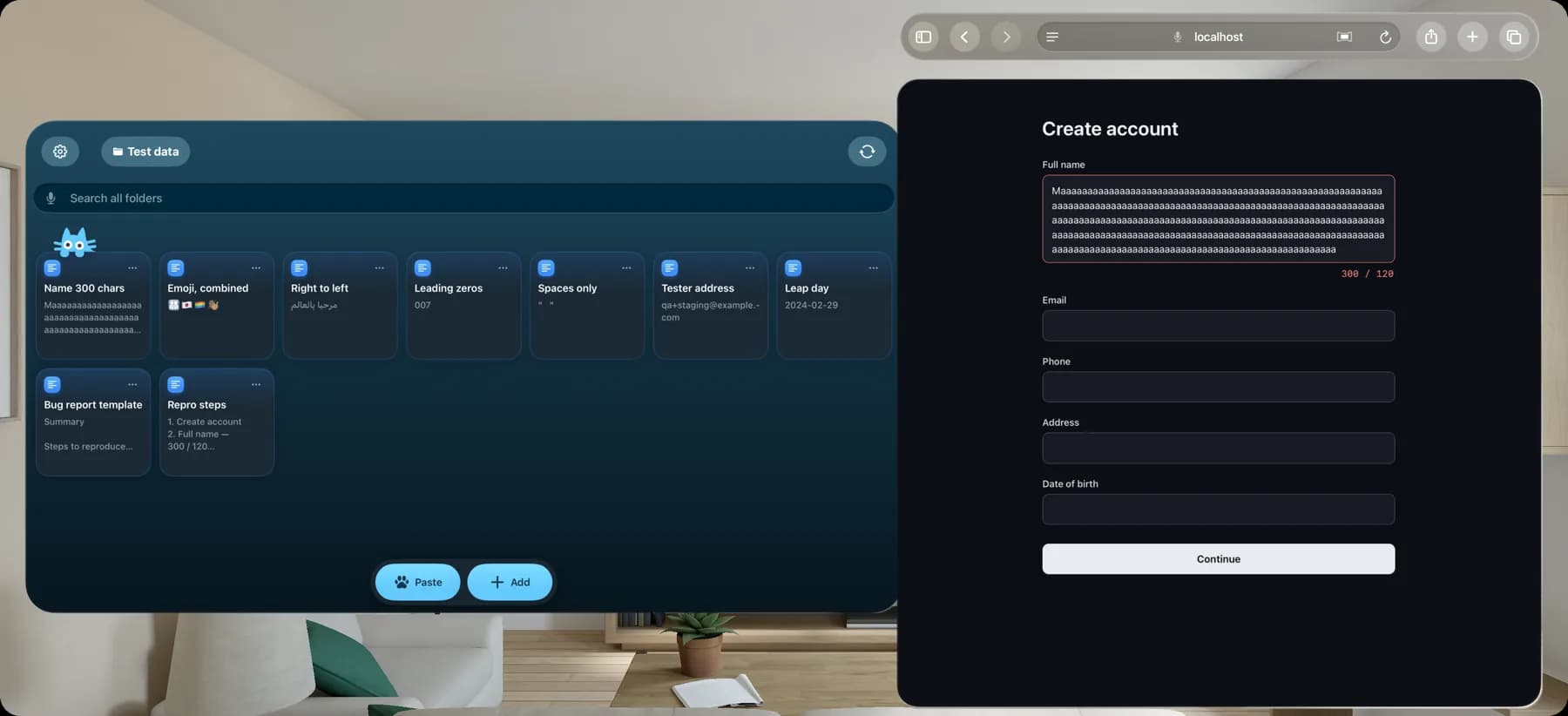
A small folder of useful edge cases
Example values to adapt for your project. Check the behavior your application is supposed to support and record the result.
| Test value | What to check | Panel key |
|---|---|---|
| Maaaaaaaaaaaaaaaaaaaaaaaaaaaaaaaaaaaaaaaaaaaaaaaaaaaaaaaaaaaaaaaaaaaaaaaaaaaaaaaaaaaaaaaaaaaaaaaaaaaaaaaaaaaaaaaaaaaaaaaaaaaaaaaaaaaaaaaaaaaaaaaaaaaaaaaaaaaaaaaaaaaaaaaaaaaaaaaaaaaaaaaaaaaaaaaaaaaaaaaaaaaaaaaaaaaaaaaaaaaaaaaaaaaaaaaaaaaaaaaaaaaaaaaaaaaaaaaaaaaaaaaaaaaaaaaaaaaaaaaaaaaaaaaaaaaaaaaaaaa Example test value: one M followed by 299 a characters. | Length validation and layout with a 300-character ASCII name | ⌘1 |
| 👨👩👧👦🇹🇼🏳️🌈👋🏽 | Unicode counting: 4 grapheme clusters, 15 code points, 25 UTF-16 units | ⌘2 |
| مرحبا بالعالم | Right-to-left layout, punctuation and truncation | ⌘3 |
| 007 | Leading zeros in identifiers | ⌘4 |
| " " | Inputs containing only spaces | ⌘5 |
| [email protected] | Valid email addresses with a plus tag | ⌘6 |
| 2024-02-29 | Date validation for a leap day | ⌘7 |
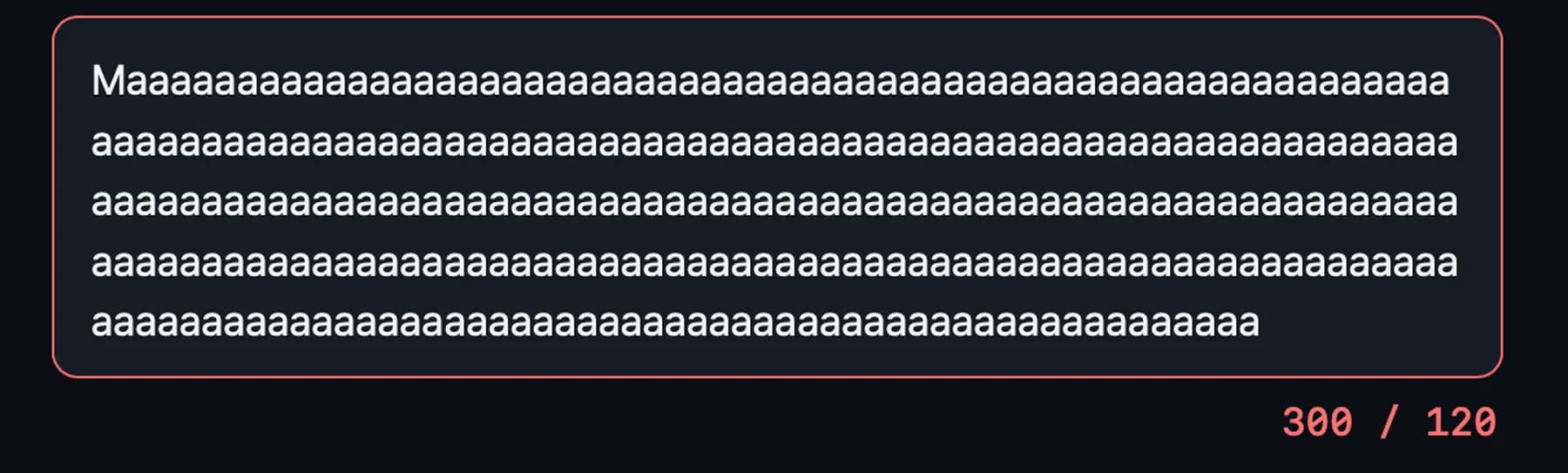
Check how the field handles a value over its limit. Paste the saved input into the report as well, so the next tester can use the value you used.
Keep a bug report template beside your test data
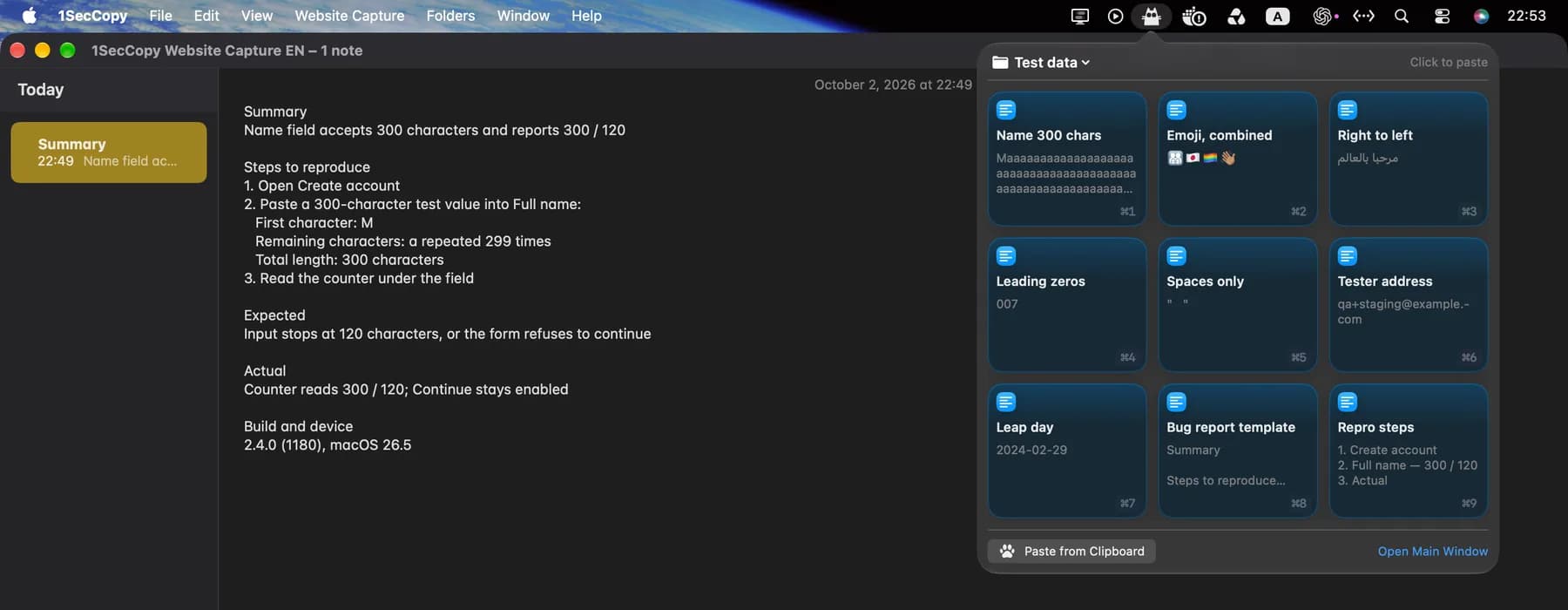
Save the headings your team uses as a text card. Add the input, steps, build and observed result when reporting an issue.
- Summary
- Steps to reproduce
- Expected result
- Actual result
- Build and device
Build a test folder for each project
Library
Test values and report templates in one folder
Keep boundary strings, Unicode samples, example.com email addresses and sample dates with your report template. Name cards for what they test, so you can find the relevant case during a regression check.
Menu bar
Reuse inputs while testing
On Mac, copy a card from the menu bar panel and paste it into the field under test. With the panel open, ⌘1–⌘9 selects the first nine cards. Automatic pasting is optional and requires Accessibility access. On iPhone and iPad, use the 1SecCopy keyboard in supported text fields.
Sync
Take your test folder to another device
With Premium cloud sync, your saved cards sync across devices. Keep a common set of inputs for your Mac, iPhone and iPad checks, then record each device’s behavior in the report.

Start with the things you use every day
Download 1SecCopy and save a few replies, prompts, images or snippets. Put them in a folder and try using one in your next task.
iPhone · iPad · Vision ProApple Silicon · Intel